
Widget for Netatmo thermostat
Your Netatmo, Smarther or BTicino heating on the home screen: Android, Wear OS and iPhone
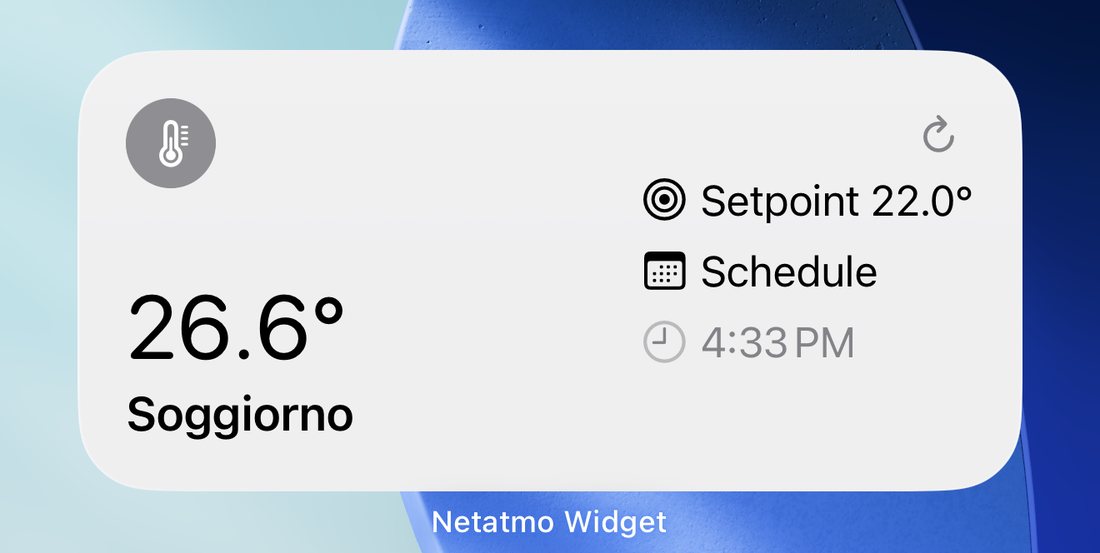
What it looks like
On iPhone
Small and medium widgets on the Home Screen. The Classic style is free; the skins are optional purchases.
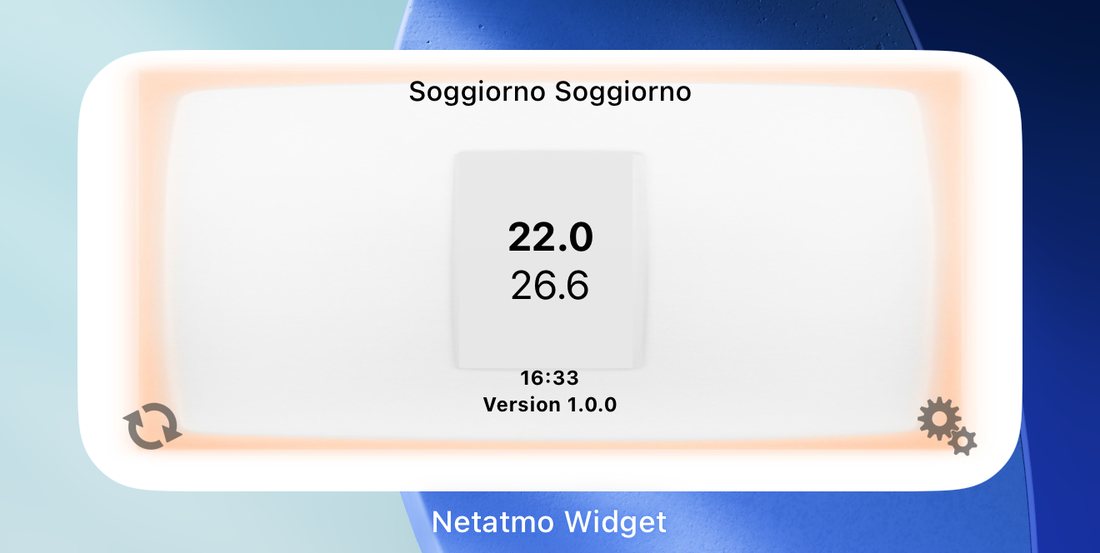
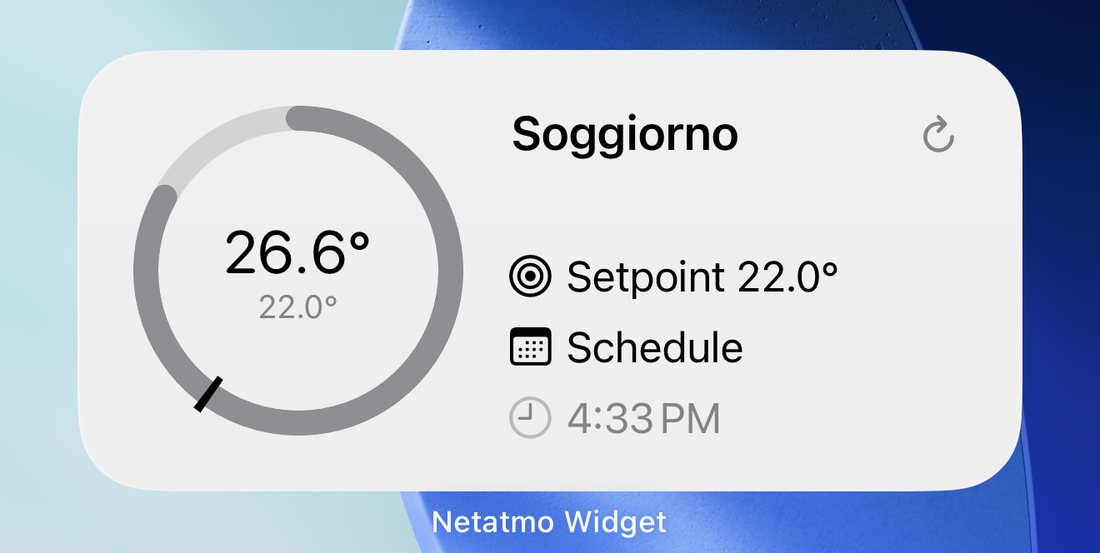
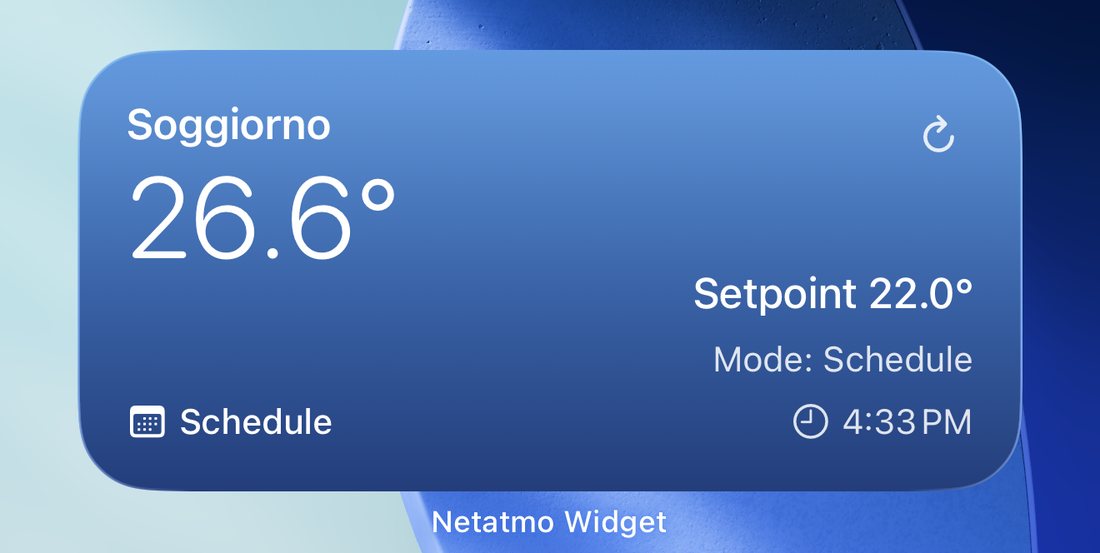
On Android
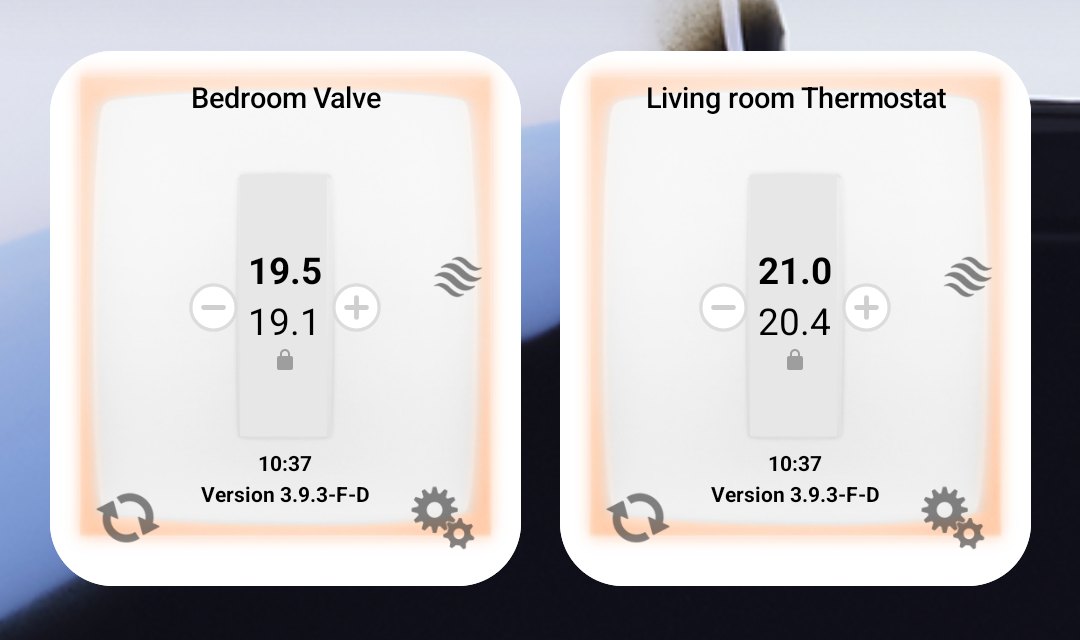
One widget per room with set and measured temperature. From version 3.9 the − and + next to the temperature open the control: with Premium you adjust the heating without leaving the home screen.
On your Wear OS watch
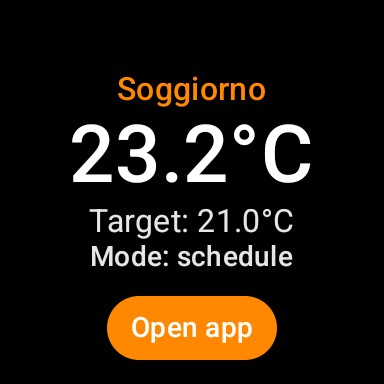
App, tile and complications on the wrist, with the crown to adjust the temperature (Premium, Android).
Widget Netatmo Energy puts your heating on the home screen of your phone: measured temperature, set temperature, schedule and boiler status, room by room, without opening the Netatmo app. On Android it also lives on your Wear OS watch; on iPhone it sits on the Home Screen, the Lock Screen and StandBy.
It signs in through Netatmo's official page, so your password never goes through the app, and it talks to the Netatmo service directly from your phone: Actisoft runs no server in between.
Why try it
- A glance is enough. Temperature and set point are on the home screen, updated every 15 minutes in the background or whenever you tap refresh.
- You know when something is wrong. The widget tells you when a thermostat is unreachable, for example when the relay or the Wi-Fi is down.
- One widget per room. Add a widget for each thermostat or valve and see the whole house at once.
- The free version does not expire. You can keep the basic widget for as long as you like; Premium adds the extras below.
Which thermostats it works with
- Netatmo Smart Thermostat and Netatmo Smart Radiator Valves, as always.
- New: the Netatmo Smart Modulating Thermostat (OpenTherm), Smarther with Netatmo (Legrand/BTicino) and the BTicino thermostats set up in the Home + Control app, on Android from version 3.7.4 and on iPhone.
- Devices must already be configured in the Netatmo Energy or Home + Control app. The Netatmo weather station and cameras are not supported. If your thermostat does not appear, "Write to us" in the settings sends us what we need to add it.
Free
- The 2×2 widget with measured temperature, set temperature, schedule or boiler status and the time of the last update, refreshed every 15 minutes or on demand; the unreachable-thermostat warning; one widget per room. The free version shows a small ad banner inside the app.
- On iPhone the Classic-style widget, small and medium, is free and shows the same data.
Premium (Android)
- Change the temperature from the widget (from version 3.9): tap the temperature, set it with − and +, confirm. The change lasts 2 hours or the duration you choose, then the thermostat goes back to its schedule; "Back to schedule" is one tap away.
- Small 2×1 and extra small 1×1 widgets, to fit several rooms on one screen.
- Temperature alerts when a room stays too cold or too warm.
- Wear OS companion: app, tile and complications on the watch, with the crown to adjust the temperature.
- Prices in Italy: 1.99 € a month or 19.99 € a year, both with a 3-day free trial, or 29.99 € once, forever. Purchases, renewals and cancellations are handled by Google Play; prices may differ by country.
Optional purchases (iPhone)
- Lock Screen and StandBy widgets: the rectangle under the clock and the circle, up to four side by side for several rooms.
- Quick refresh: update the data with a tap on the widget, without opening the app.
- Skins: five native iOS styles, including Home, Ring, Minimal and Detailed.
- You can buy them one by one, all together once and for all, or as a subscription. Prices and terms are shown in the app; purchases go through your Apple ID. On iPhone the widget shows the data and does not change the temperature.
Frequently asked questions
Which Netatmo devices does it work with?
With the Netatmo smart thermostat, the Netatmo smart radiator valves, the Netatmo modulating thermostat (OpenTherm), Smarther with Netatmo and BTicino thermostats, as configured in the Netatmo Energy or Home + Control app. It does not work with the weather station or the cameras.
Which account do I sign in with?
With the Netatmo account you use in the Netatmo Energy app, including sign-in with Google or Apple. The app never stores your password: you authenticate on the Netatmo site.
Can it change the temperature?
On Android, yes, with Premium (from version 3.9.0): tap the temperature on the widget, set it with − and + and confirm. The change lasts 2 hours, or the duration you choose, then the thermostat goes back to its schedule. On a Wear OS watch you can do it with the crown. On iPhone the widget only shows the data for now. Schedules and home modes stay in the Netatmo app.
How often does it update?
On Android every 15 minutes in the background, plus on demand. On iPhone the widget asks the system for a refresh about every 20 minutes; iOS decides the actual timing.
Is it free?
The basic widget is free. On Android, Premium (monthly or yearly with a free trial, or a one-time purchase) adds temperature control from the widget, the small and extra small layouts, temperature alerts and the Wear OS companion. On iPhone the Classic-style widget is free; Lock Screen widgets, quick refresh and skins are optional in-app purchases.
Is there a version for Apple Watch?
Not yet. The Wear OS companion is available on Android; an Apple Watch version is planned.